How I back up my servers using restic and Wasabi object storage

Table of Contents
For the past few months, I have been using Borg to backup my servers. It was working great and was pretty reliable, but a bit complicated.
My previous setup: SSH + Rsync + Borg#
Here's the setup:
- The backup server rsync files to its local drive
- The backup server makes databases dumps over SSH to its local drive
- Then it uses Borg via borgmatic to store all the files in a tidy way.
This is quite simple, but it took me a lot of work to get good bash scripts and YAML borgmatic files (example). Borg is great, it handles deduplication, compression, encryption...
I could've used Borg in push mode (uploading to the backup server via Borg), but its append-only mode does not make any sense, so I decided to use a pull mode. Thus, I did not use encryption since the key would be on the backup server anyway.
My backup server was a dedicated server from Kimsufi, which costed me about 10€/month for a 2 TB hard drive. It was a good deal but the Atom CPU was very weak and Borg does not handle multi-threading so it was quite slow. Also, the downside of having one, big hard drive is the remaining unused space and the lack of redundancy. For the latter, I rsynced the borg repositories to one of my computer at home, but...
Anyway, this setup was not so bad, but in terms of speed and redundancy, I could find better.
The choice of the backup tool#
I decided that I would backup my servers to an S3-compatible storage provider, in push mode, so I began to search for Borg alternatives that supported this kind of backend.
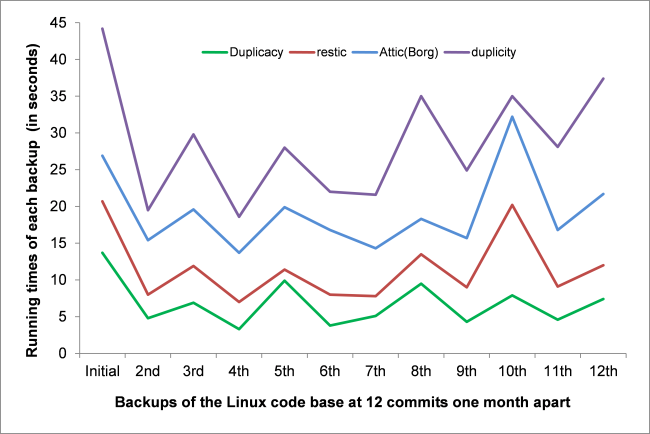
I think the best one is Duplicacy, a software written in Go, because it's the fastest and more mature solution. They have a detailed README explaining why they're the best.
However it has 2 downsides for me: first, it's open-source, but not under a Free license. I'm okay with this, but it's worth to be noted. Second, it does not handle sdtin backup (for dumps) - at least I couldn't find how.
This is a deal breaker for me, since I want to use a push mode. The best alternative I found was restic, also written in Go. It's nearly as fast a Duplicacy and support stdin backups. The biggest downside is that it doesn't support compression yet, but it will do for now.
See gilbertchen/benchmarking for some detailed performance benchmarks.
restic handles encryption very easily and this is a very important aspect because, when I had my backup server, I could have used some encryption but at leat I had control over my server. Using an Object Storage Provider means I don't know how my data will be handled so encryption is mandatory.
The choice of the storage provider#
A few weeks ago, I was moving my Mastodon media files to Wasabi, a cheap AWS S3-like service. I really like the service so I began considering using it for my backups.
Since all my backup can be contained in less than 1 TB, I will still be paying $5/month along with my mastodon stuff. That's awesome!
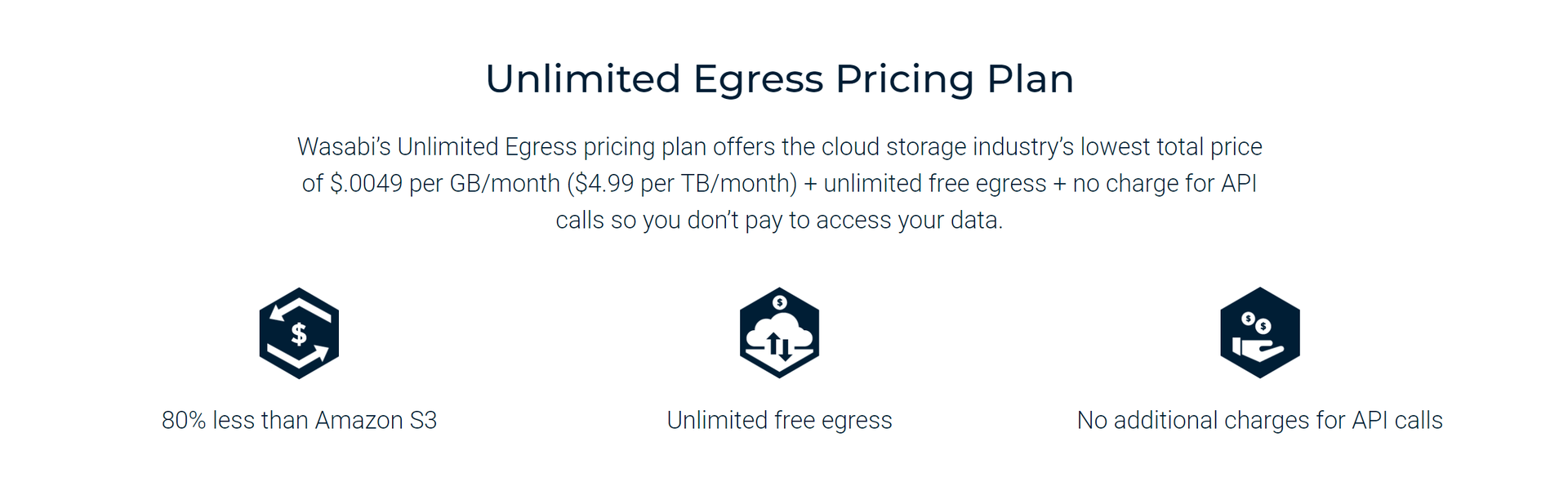
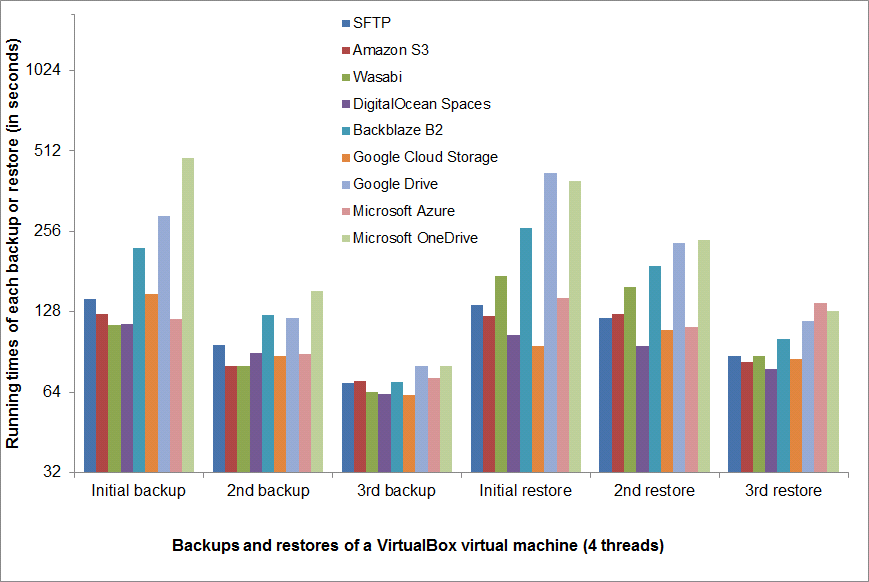
Wasabi is not only cheap but fast. Though, I'm in Europe and their datacenters are in the US. But I know they are planning to get in Europe this year, so I can only look forward to it!
Setting up Wasabi#
Now that I have you convinced that this is best combo ever, let's get started by setting up Wasabi.
Create an account#
You can sign up for free on Wasabi and get a 1 TB free trial for 30 days.
Then you're going to need 2 things:
- A bucket
- A user
Creating a bucket#
You should be able to do that by yourself. Be aware that you have to choose a unique bucket name.
Creating a user with a correct policy#
Then, create a user, name it however you want, and get API keys. I recommend to store them in your password manager.
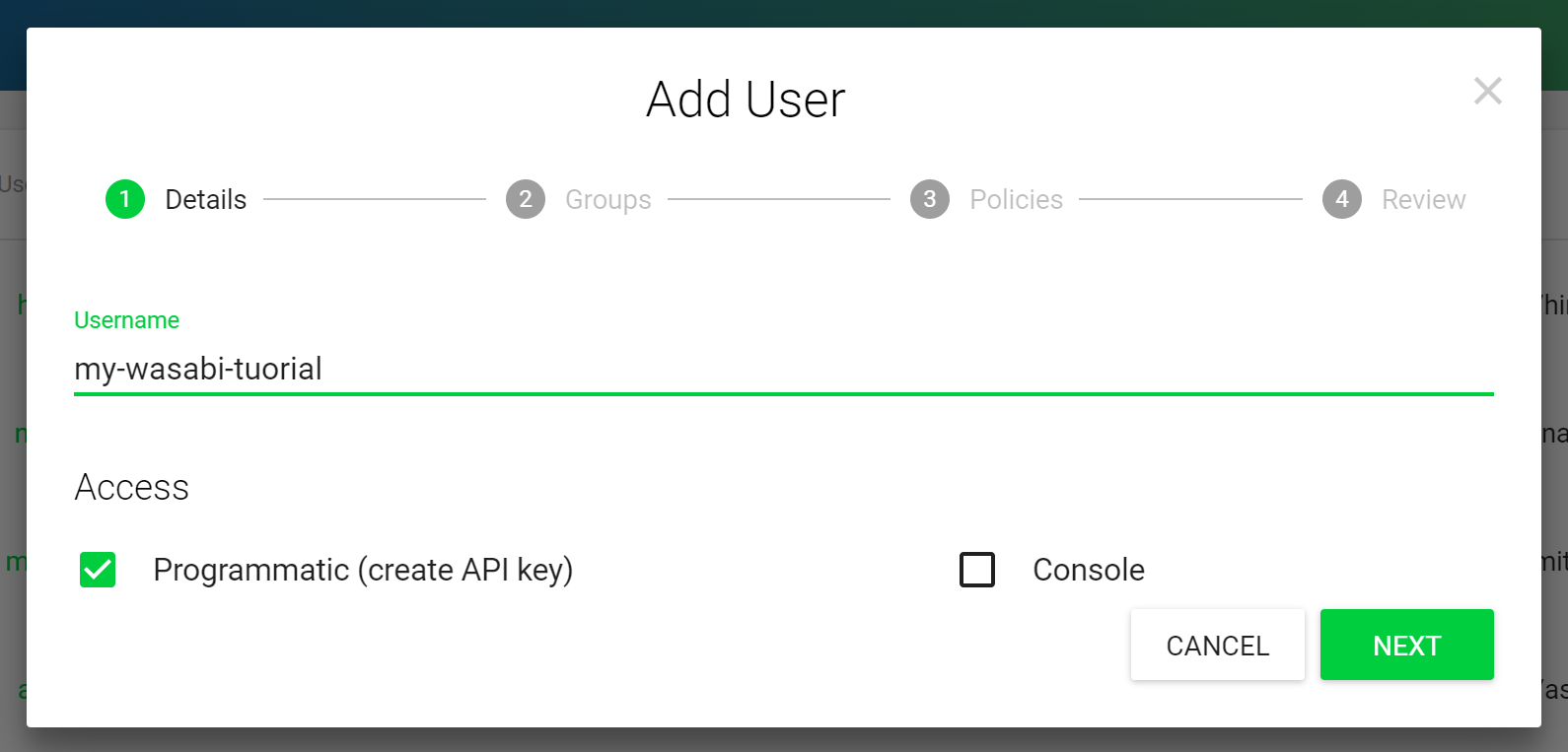
Then we'll need to create and attach a policy for this user in order to give it full access to the bucket while restraining it to this bucket only.
Here's the one I use, my-backup-bucket being the name of my bucket.
{
  "Version": "2012-10-17",
  "Statement": [
    {
      "Effect": "Allow",
      "Action": "s3:ListBucket",
      "Resource": "arn:aws:s3:::my-backup-bucket"
    },
    {
      "Effect": "Allow",
      "Action": ["s3:PutObject", "s3:GetObject", "s3:DeleteObject"],
      "Resource": "arn:aws:s3:::my-backup-bucket/*"
    }
  ]
}
Then go to the "Permissions" tab for your user and attach the policy.
We're good to go!
Setting up restic#
Installing restic#
See the documentation for installing restic. All my servers are running Debian stretch but the version in the repos is quite old.
In order to get the latest version, I install it from the testing/sid repository. It doesn't cause any issue since the only dependency of restic is libc.
First, add the sid repo in /etc/apt/sources.list.d/sid.list :
deb http://deb.debian.org/debian sid mainThen add the pin in /etc/apt/preferences.d/restic :
Package: *
Pin: release n=stretch
Pin-Priority: 990

Package: restic
Pin: release n=sid
Pin-Priority: 1000

Package: *
Pin: release n=sid
Pin-Priority: -1
Run apt-update and you should get:
root@server:~# apt-cache policy restic
restic:
  Installed: (none)
  Candidate = 0.9.1+ds-1
  Version table:
     0.9.1+ds-1 1000
         -1 http://deb.debian.org/debian sid/main amd64 Packages
     0.3.3-1+b2 990
        990 http://http.us.debian.org/debian stretch/main amd64 Packages
You can now proceed to install the package.
Setting up the keys#
I have a ~/.restic-keys on all my servers containing:
export AWS_ACCESS_KEY_ID=
export AWS_SECRET_ACCESS_KEY=
export RESTIC_PASSWORD=<some long random password>
The first two variables correspond to your Wasabi Access and Secret keys. The RESTIC_PASSWORD will be used to encrypt the backups.
You can now do a source ~/.restic-keys to export the keys to your shell.
Create a repository#
root@server:~# restic init --repo s3:s3.wasabisys.com/my-backup-bucket
created restic repository e9ed581d94 at s3:s3.wasabisys.com/my-backup-bucket

Please note that knowledge of your password is required to access
the repository. Losing your password means that your data is
irrecoverably lost.
Backup a folder#
root@server:~# restic -r s3:s3.wasabisys.com/my-backup-bucket backup /etc/apt/
repository e9ed581d opened successfully, password is correct

Files: 19 new, 0 changed, 0 unmodified
Dirs: 1 new, 0 changed, 0 unmodified
Added: 40.609 KiB

processed 19 files, 39.960 KiB in 0:04
snapshot bb3030dc saved
See the deduplication at work:
root@server:~# restic -r s3:s3.wasabisys.com/my-backup-bucket backup /etc/apt/
repository e9ed581d opened successfully, password is correct

Files: 0 new, 0 changed, 19 unmodified
Dirs: 0 new, 0 changed, 1 unmodified
Added: 0 B

processed 19 files, 39.960 KiB in 0:03
snapshot c577544a saved
List snapshots#
root@server:~# restic -r s3:s3.wasabisys.com/my-backup-bucket snapshots
repository e9ed581d opened successfully, password is correct
ID Date Host Tags Directory
----------------------------------------------------------------------
bb3030dc 2018-07-29 19:01:48 server.guest /etc/apt
c577544a 2018-07-29 19:02:16 server.guest /etc/apt
----------------------------------------------------------------------
2 snapshots
Do many others things#
I won't cover every feature here so please take a look at the docs!
Some interesting stuff:
- Reading data from stdin (yay!)
- Excluding Files
- Comparing Snapshots
- Restoring from backup
- Removing snapshots according to a policy
By the way, deduplication does work with stdin backups!
Automatise the backups using bash and cron#
On my servers, I have a backup script that looks like this:
#!/bin/bash

source .restic-keys
export RESTIC_REPOSITORY="s3:s3.wasabisys.com/{{ ansible_hostname }}-backup"

echo -e "\n`date` - Starting backup...\n"

restic backup /etc
restic backup /root --exclude .cache --exclude .local
restic backup /home/stanislas --exclude .cache --exclude .local
restic backup /var/log
restic backup /srv/some-website

mysqldump database | restic backup --stdin --stdin-filename database.sql

echo -e "\n`date` - Running forget and prune...\n"

restic forget --prune --keep-daily 7 --keep-weekly 4 --keep-monthly 12

echo -e "\n`date` - Backup finished.\n"
Easy right?
I execute the script at night with some nice and ionice:
0 4 * * * ionice -c2 -n7 nice -n19 bash /root/backup.sh > /var/log/backup.log 2>&1And we're done!
Enjoy#
I think I have covered everything you need to know about my current backup setup. restic is an awesome software and Wasabi is fast and reliable.
Here are some numbers: one server with ~3 GB of files and databases is backed up in one minute, and another server with ~50 GB in about 10 minutes. I just wish there was compression!
Here is the improvements I can think of for this setup :
- Use an append-only mode but it does not seem possible so far.
- Add the keys to ansible-vault
- Periodically sync the buckets to a local computer