How to enable TLS 1.3 on Nginx

TLS 1.3 is the new TLS version that will power a faster and more secure web for the next few years.
The final release of TLS .13 has been out since august 2018. The final draft is supported by OpenSSL in its 1.1.1 version.
LibreSSL does not support TLS 1.3 as of today, since they want to do a clean implementation.
Nginx supports TLS 1.3 since version 1.13.0 (released in April 2017), when built against OpenSSL 1.1.1. Before the stable OpenSSL release, it has been possible to build Nginx with OpenSSL 1.1.1 pre-releases, containing TLS 1.3 drafts. It is important to note that drafts of RFC 8446 can be incompatible.
Now that OpenSSL 1.1.1 has a stable release, we can enjoy TLS 1.3 on Nginx!
First, make sur your Nginx version is >= 1.13.0, and built against OpenSSL 1.1.1 or more. For most distributions, it may be a bit early.
FYI, OpenSSL 1.1.1 comes with:
- Debian 10 (not yet released as of today)
- Ubuntu 18.04
- Fedora 29
For Debian and Ubuntu, I made a script to compile Nginx with a bunch of modules, in which you can choose your OpenSSL/LibreSSL version.
During my tests, I used the latest stable version, compiled and running on Debian 9:
root@server:~# nginx -V
nginx version: nginx/1.14.0
built by gcc 6.3.0 20170516 (Debian 6.3.0-18+deb9u1)
built with OpenSSL 1.1.1 11 Sep 2018
TLS SNI support enabled
configure arguments: --prefix=/etc/nginx --sbin-path=/usr/sbin/nginx --conf-path=/etc/nginx/nginx.conf --error-log-path=/var/log/nginx/error.log --http-log-path=/var/log/nginx/access.log --pid-path=/var/run/nginx.pid --lock-path=/var/run/nginx.lock --http-client-body-temp-path=/var/cache/nginx/client_temp --http-proxy-temp-path=/var/cache/nginx/proxy_temp --http-fastcgi-temp-path=/var/cache/nginx/fastcgi_temp --user=nginx --group=nginx --with-cc-opt=-Wno-deprecated-declarations --without-http_ssi_module --without-http_scgi_module --without-http_uwsgi_module --without-http_geo_module --without-http_split_clients_module --without-http_memcached_module --without-http_empty_gif_module --without-http_browser_module --with-threads --with-file-aio --with-http_ssl_module --with-http_v2_module --with-http_mp4_module --with-http_auth_request_module --with-http_slice_module --with-http_stub_status_module --with-http_realip_module --with-openssl=/usr/local/src/nginx/modules/openssl-1.1.1
If your version of Nginx supports TLS 1.3, it is really simple to enable:
ssl_protocols TLSv1.2 TLSv1.3;Contrary to previous versions, TLS 1.3 has it own ciphers. We need no add them, otherwise no TLS 1.3 handshake will succeed.
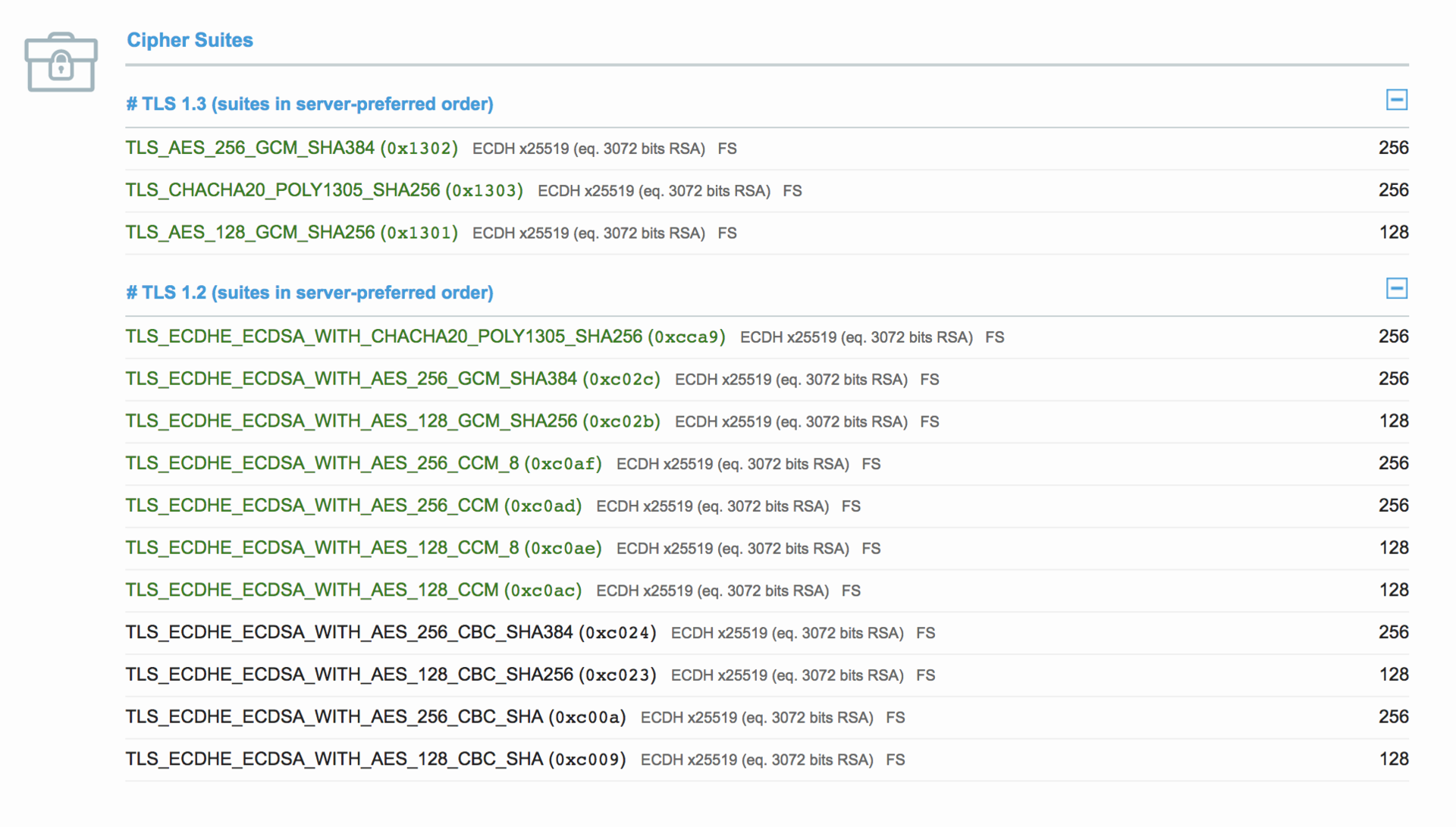
The ciphers are the 3 following:
TLS13-CHACHA20-POLY1305-SHA256TLS13-AES-256-GCM-SHA384TLS13-AES-128-GCM-SHA256
OR:
TLS-CHACHA20-POLY1305-SHA256TLS-AES-256-GCM-SHA384TLS-AES-128-GCM-SHA256
These are the exact same (TLS vs TLS13) as of today. I prefer to use TLS13 since it's more explicit. As you can see, non-PFS and non-AEAD ciphers have been dropped, so no more DHE or AES CBC.
Here is the cipher suite I recommend:
ssl_ciphers TLS13-CHACHA20-POLY1305-SHA256:TLS13-AES-256-GCM-SHA384:TLS13-AES-128-GCM-SHA256:EECDH+CHACHA20:EECDH+AESGCM:EECDH+AES;It enables TLS 1.3 ciphers as well as, for TLS 1.2, AES CBC/GCM 128/256 bits, CHACHA20, ECDSA/RSA and EECDH.
You should be able to reload/restart your Nginx server, and if everything went well, you now have TLS 1.3 support!
You can head to SSL Labs, which should tell you:
This server supports TLS 1.3 (RFC 8446).
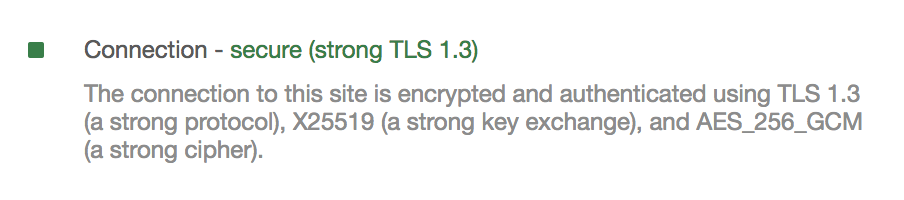
As of the web browsers, most of them have been supporting the multiple drafts published over the last year and a half. We're using the final draft here, which is only supported since Chrome 70 and Firefox 62. It is in development for other browsers.
You can check the status of TLS 1.3 support on Can I use.