NextDNS is my new favourite DNS service
Table of Contents
Finally! I'm happy to report that I found a DNS service that perfectly suits my needs.
My requirements are as follows:
- Low-latency
- Reliable
- Available everywhere
- Support for DoT and DoH
- Includes ad-blocking and tracker-blocking
- Customisable
- Available stats
Pi-Hole: sorry, I do leave home sometimes#
We all know Pi-hole, which is an awesome software. Sadly, it does not fit my requirements.
First of all, it's only available at home, which is a total deal-breaker for me since I only work on mobile devices (laptop, smartphone) that come and go out of my house every day. Which means I can't set my system resolver to PiHole because it wouldn't work when I leave home and if I let DHCP managing my DNS settings, I'll be using random DNS servers outside home.
I have successfully set up a WireGuard server with Pi-hole set as a resolver, on a VM in the cloud. That... works, but I don't want to be connected to a VPN all the time.
To put it simply, Pi-hole does not tick essential boxes here, so it's disqualified for my use-case.
Cloudflare's 1.1.1.1 and others#
Despite how much I like Cloudflare and this specific service, I want to block trackers at the DNS level. 1.1.1.1 is probably the most reliable and fastest resolver there is on earth, but that does not fit my use case either. 😕
Adguard: good enough, but not perfect#
For the past year and a half, I have been using AdGuard DNS (not their software). I have been using the DoT endpoint from my Android phone and the DoH endpoint from my Mac through dnscrypt-proxy, and it's been working perfectly.
They have been super reliable for me. They seem to have an Anycast network, although limited.
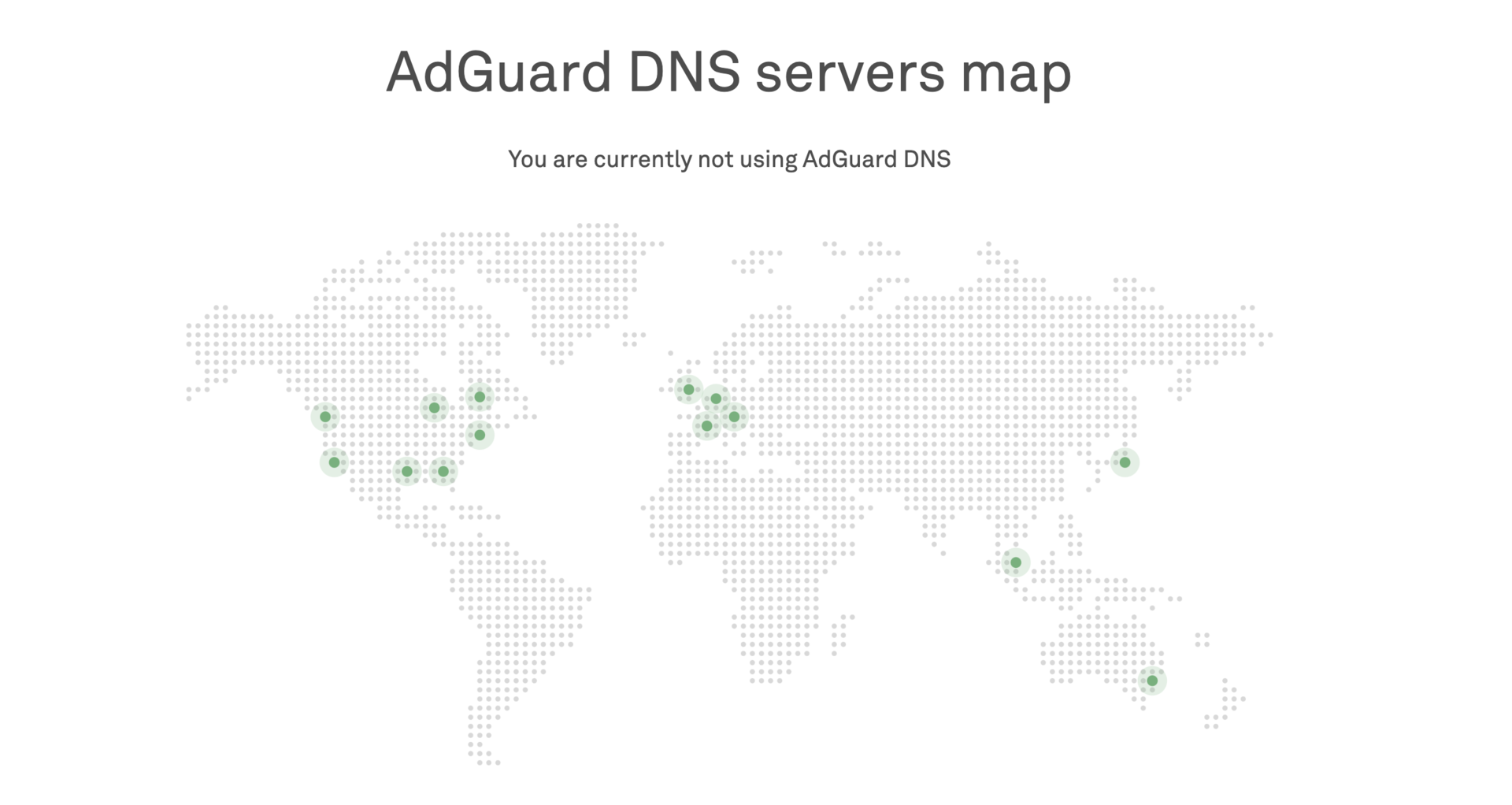
My ISP in France is Orange, and they go through Cogent to reach their Paris server. But Cogent decides to route my packets through New York...
Which means I need about 80 ms to access a server that is minutes away from my home.
I don't know if their Tokyo server is recent, but when I was in South Korea, I had about 200 ms of latency. Granted, I didn't keep the results of a traceroute so I don't know if it's the same kind of routing madness.
That being said, I can't say this has really bothered me. Moreover, dnscrypt-proxy acted as a local cache, which reduced the number of requests sent to AdGuard.
Of course, I was using them because they block ads and trackers. It really made a difference on my Android phone: I haven't seen ads in so long that I can't even conceive to see ads on my phone anymore.
What if I want to whitelist or blacklist a specific domain though? What if I want to see statistics of my requests? No possible, sadly. This has not been a huge deal, but it's been something I wish I had...
NextDNS: Couldn't be better#
🎉 Good news! NextDNS ticks all the boxes above. I launched nearly a year ago, and I have been using them for 3 months.
NextDNS has been founded by two French guys. To quote their FAQ:
NextDNS has been founded in May 2019 in Delaware, USA by two French founders Romain Cointepas and Olivier Poitrey. Olivier has been working on Internet infrastructures for the last 20 years. In 2005, he founded Dailymotion, the largest video sharing service after Youtube and the most popular European website in the world at the time. He is currently Director of Engineering at Netflix, working on Open Connect, Netflix's home CDN also known as the CDN moving about 30% of the total US Internet traffic. Romain and Olivier closely worked for years at Dailymotion on many different projects. Romain ended up leading the mobile & TV department.
We are true supporters of the net neutrality and Internet privacy. We believe that un-encrypted DNS resolvers operated by ISPs are detrimental to those two principles. Alternative solutions like Google DNS or Cloudflare DNS are great, but we think more actors need to step up and provide alternative services to avoid centralization of powers.
I don't know about you but for me that inspires me much more confidence in the project than random people on the internet.
NextDNS is a new and rapidly evolving service (still in beta). The information I provide below may not be up-to-date when you read this article.
Latency#
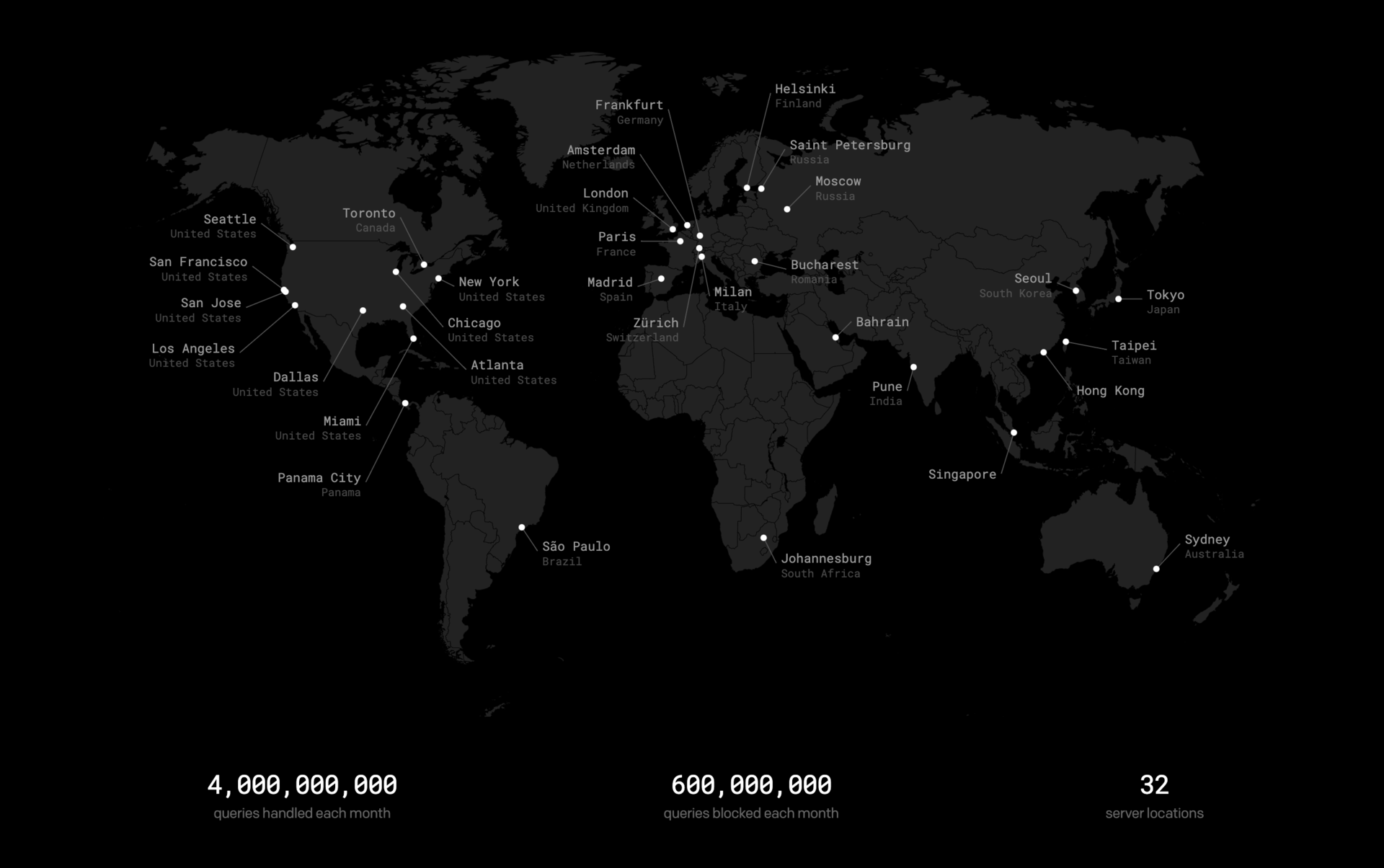
NextDNS have their own AS, but I'm not sure who exactly is backing their infrastructure. They don't seem to be using a single (big) cloud provider like AWS or GCP because the locations don't exactly match. My guess is that they use multiple cloud providers, but this is a wild guess 🤷♂️. My point is: you'll get great latency, wherever you are!
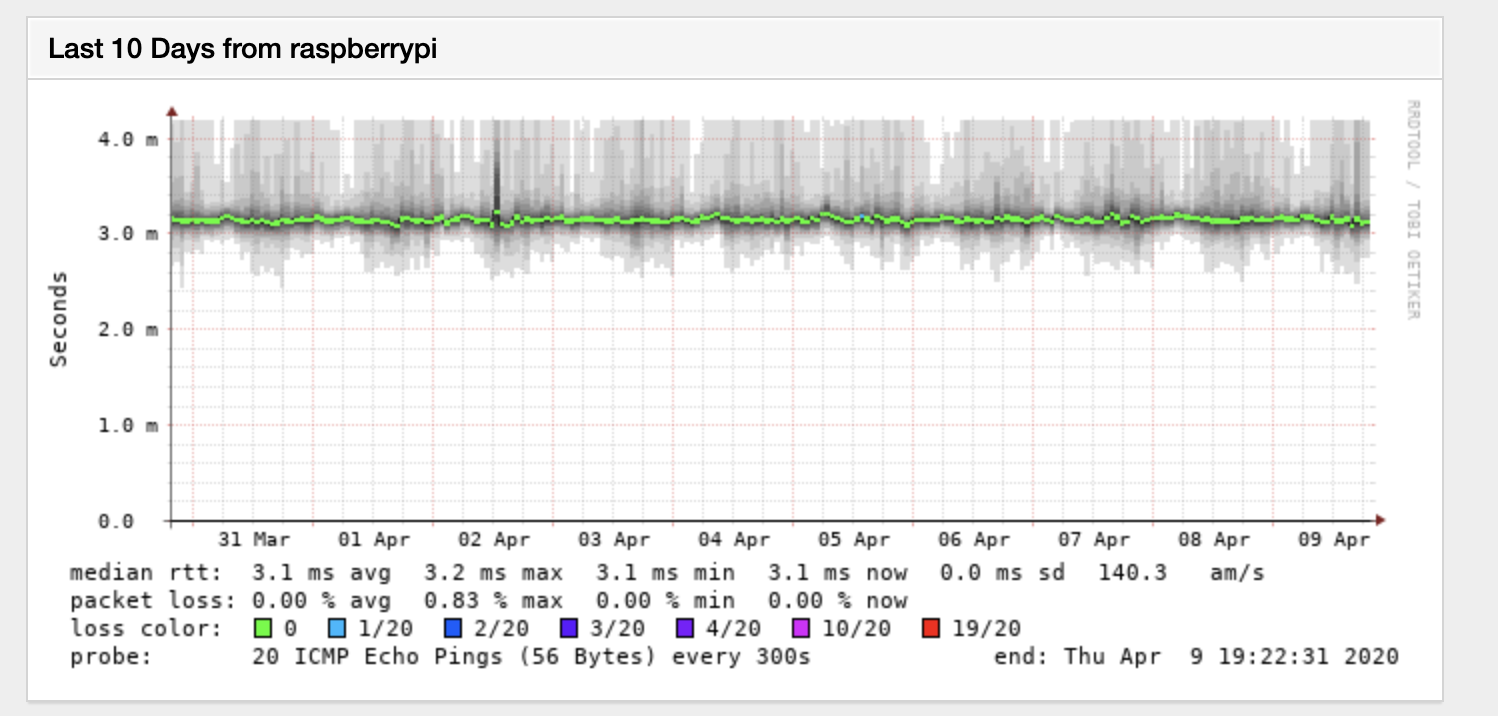
From home, I have about 3 ms of latency to the Parisian server:
You can measure your latency to NextDNS servers by going to https://ping.nextdns.io/.
Reliability#
I don't monitor NextDNS, besides my simple Smokeping above, but it's just ICMP. All I can say is that I haven't experienced, as far as I know, any outage or issue during the last 3 months.
Clients and support for secure protocols#
In 2020, we should probably avoid using DNS, as we have many means of using secure DNS protocols like DNS-over-HTTPS, DNS-over-TLS or even DNScrypt.
Since NextDNS supports, well, "classic" DNS and both DoH and DoT, it's usable everywhere. On top of that, they have a multitude of graphical apps for:
- Android
- iOS
- Windows
- macOS
- ChromeOS (via a Chrome extension!)
On Android, I use the native DoT implementation.
On my Windows gaming PC, I don't want to bother and simply use the Windows GUI app.
On macOS, I could have kept using dnscrypt-proxy because it supports DoH, but the official CLI is really good. It's multiplatform, including Windows and *BSD.
After installing it from Homebrew, I could set it up on my macbook as easily as:
sudo nextdns install -config <myconfigid> -auto-activate -report-client-info=true -log-queries=false -forwarder infra.company.tld=192.168.42.42The last option is split horizon: it will forward the queries for infra.company.tld to 192.168.42.42, an internal DNS server. Neat!
The CLI is easy to use:
➜ ~ nextdns version
nextdns version 1.4.36
➜ ~ nextdns config
hardened-privacy false
bogus-priv true
use-hosts true
forwarder infra.company.tld.=192.168.42.42
auto-activate true
log-queries false
report-client-info true
detect-captive-portals false
timeout 5s
setup-router false
listen localhost:53
config <myconfigid>
➜ ~ sudo nextdns status
running
➜ ~ nextdns log | tail
Apr 9 19:35:36 mbp-scw com.apple.xpc.launchd[1] (nextdns): This service is defined to be constantly running and is inherently inefficient.
Apr 9 19:35:36 mbp-scw nextdns[59668]: Starting NextDNS 1.4.36/darwin on localhost:53
Apr 9 19:35:36 mbp-scw nextdns[59668]: Listening on TCP/[::1]:53
Apr 9 19:35:36 mbp-scw nextdns[59668]: Listening on UDP/127.0.0.1:53
Apr 9 19:35:36 mbp-scw nextdns[59668]: Listening on UDP/[::1]:53
Apr 9 19:35:36 mbp-scw nextdns[59668]: Listening on TCP/127.0.0.1:53
Apr 9 19:35:41 mbp-scw nextdns[59668]: Activating
Apr 9 19:35:41 mbp-scw nextdns[59668]: Connected 45.90.28.0:443 (con=5ms tls=120ms, TLS13)
Apr 9 19:35:41 mbp-scw nextdns[59668]: Connected 193.168.204.73:443 (con=5ms tls=7ms, TLS13)
Apr 9 19:35:41 mbp-scw nextdns[59668]: Switching endpoint: https://netbarista-par-1.edge.nextdns.io#193.168.204.73
It automatically handles everything and will set the system resolver to 127.0.0.1. Since it launches by itself via launchd, I can just forget it. It's better than having yet another app in my taskbar.
➜ ~ dig

; <<>> DiG 9.10.6 <<>>
;; global options: +cmd
;; Got answer:
;; ->>HEADER<<- opcode: QUERY, status: NOERROR, id: 56781
;; flags: qr rd ra ad; QUERY: 1, ANSWER: 13, AUTHORITY: 0, ADDITIONAL: 1

;; OPT PSEUDOSECTION:
; EDNS: version: 0, flags:; udp: 1220
;; QUESTION SECTION:
;. IN NS

;; ANSWER SECTION:
. 48231 IN NS a.root-servers.net.
. 48231 IN NS b.root-servers.net.
. 48231 IN NS c.root-servers.net.
. 48231 IN NS d.root-servers.net.
. 48231 IN NS e.root-servers.net.
. 48231 IN NS f.root-servers.net.
. 48231 IN NS g.root-servers.net.
. 48231 IN NS h.root-servers.net.
. 48231 IN NS i.root-servers.net.
. 48231 IN NS j.root-servers.net.
. 48231 IN NS k.root-servers.net.
. 48231 IN NS l.root-servers.net.
. 48231 IN NS m.root-servers.net.

;; Query time: 7 msec
;; SERVER: 127.0.0.1#53(127.0.0.1)
;; WHEN: Thu Apr 09 19:36:32 CEST 2020
;; MSG SIZE rcvd: 239
My only complaint is that it does not seem to cache requests (see the 7 ms query time above, even though I have made the query multiple times).
Edit: a few hours after my post, a new version of the cli has been published, with caching support. 🤓
On my servers, I was already using a local recursive resolver with Unbound. For the servers that had a recent-enough Unbound version that supports DoT, I added a few lines of configuration to forward the requests to NextDNS. It was less work for me than trying to incorporate the NextDNS CLI into my workflow. I don't really need to use NextDNS on my servers, especially since I disabled all filtering for them. It's just so that I can have logs and stats, for fun.
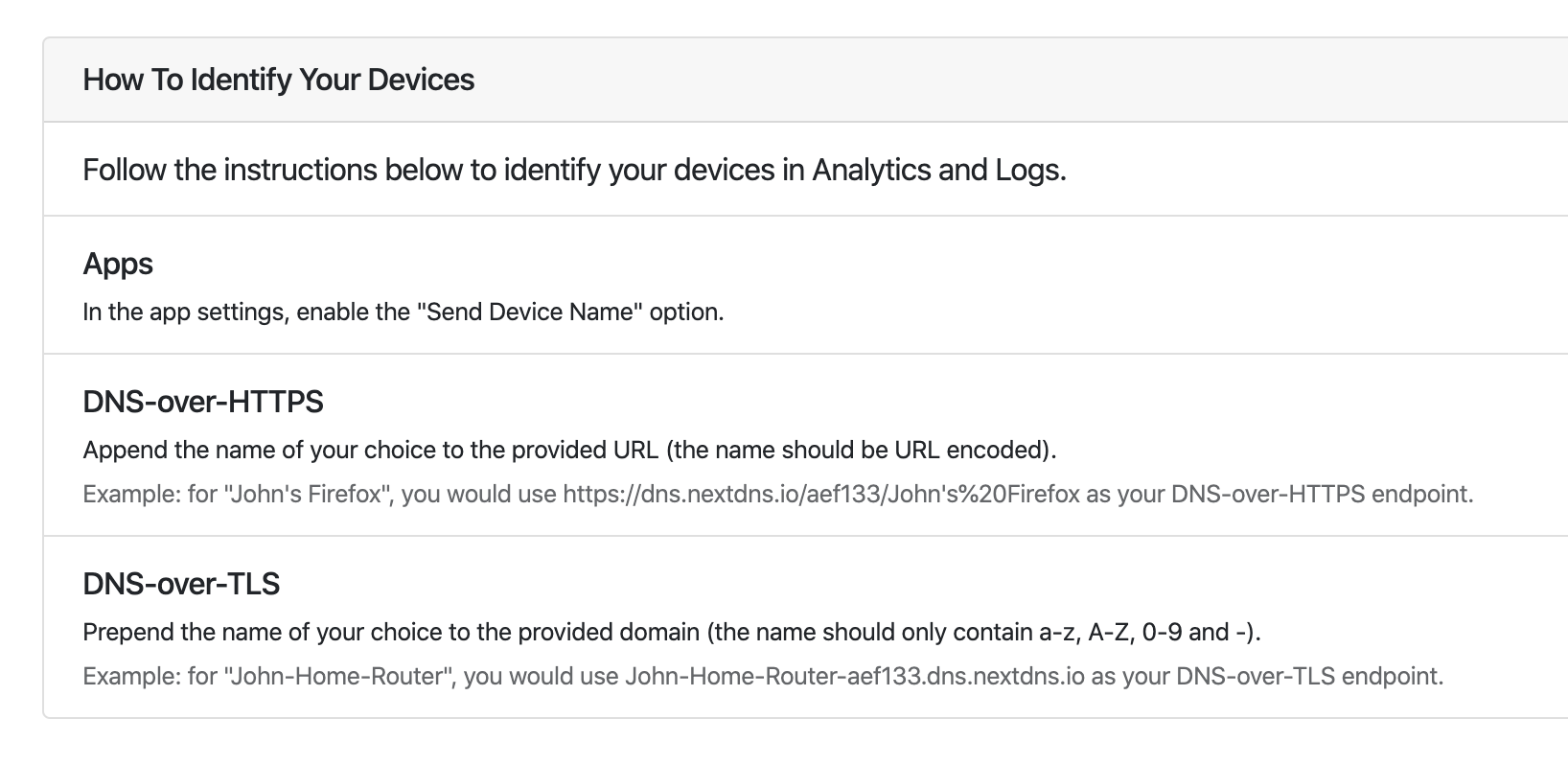
The only upside of using a dedicated NextDNS client at first was to have per-device stats, but it turns out you can add the device name in the endpoint to differentiate it. Very cool feature!
Web interface#
Although NextDNS is usable with the default endpoints, its power is unleashed when you create a "configuration". You can create one without an account to test things out, but creating an account will allow you to make the configuration private and linked to your account.
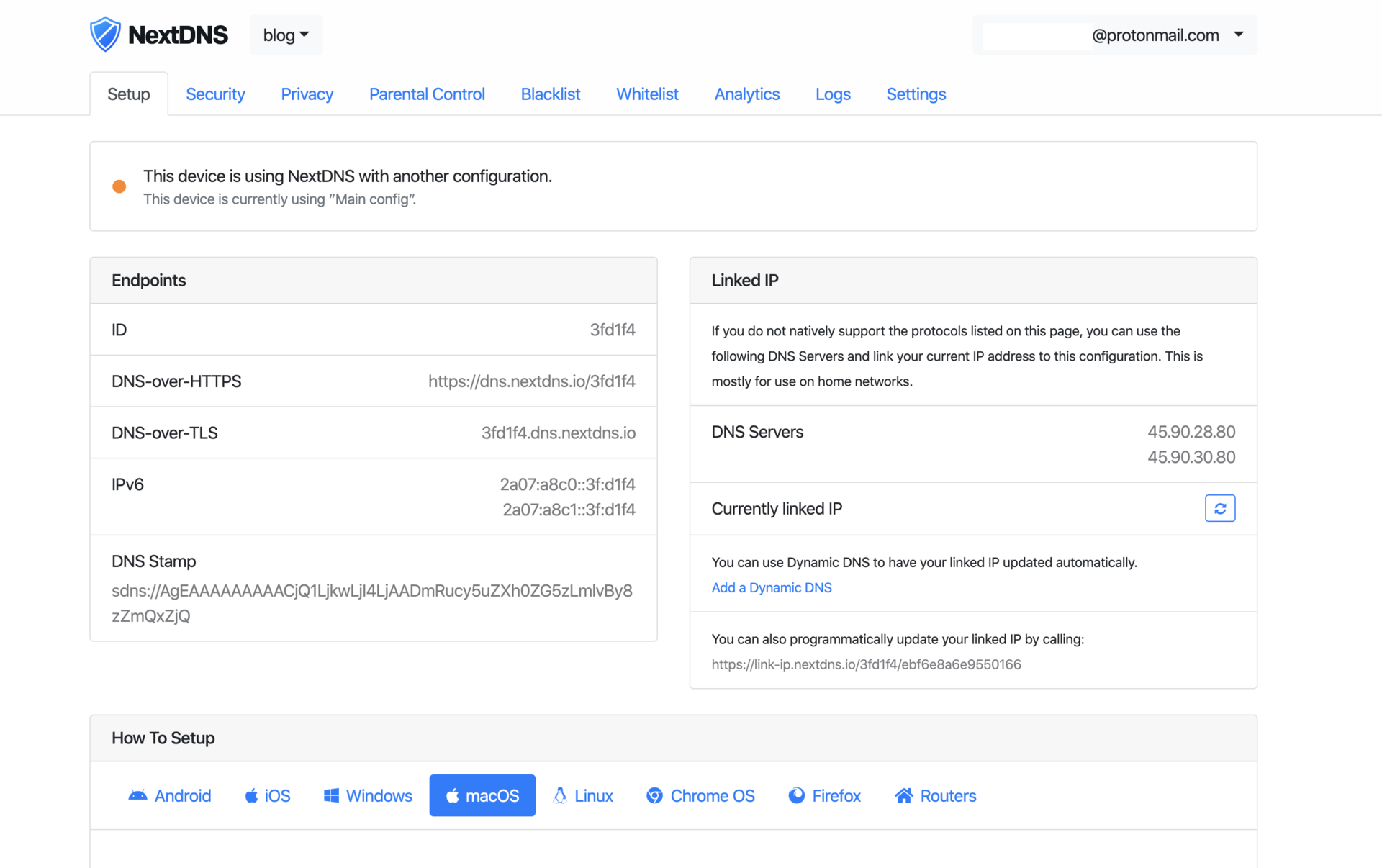
I personally have an account with two configurations: one for all my devices and one for my servers.
From the web interface, which is improved quite often, you can customise what domains are being blocked as well as consult logs and statistics.
Blocking trackers and ads#
One of the main selling points of NextDNS is of course the fact that it blocks trackers and ads by default. You can turn it off if you want, which is what I did for my server configuration. But most of all, you can customise it! That's one of the pain points I had with AdGuard: if one domain I needed to access was blocked by AdGuard, I had to temporarily use another resolver.
Besides a simple whitelist and blacklist, the dashboard gives granular control over what's blocked. Here are some available sections on it:
- Security
- Threat Intelligence Feeds
- Google Safe Browsing
- Cryptojacking Protection
- DNS Rebinding Protection
- IDN Homograph Attacks Protection
- Typosquatting Protection
- Domain Generation Algorithms (DGAs) Protection
- Block Newly Registered Domains (NRDs)
- Block Parked Domains
- Block specifics Top-Level Domains (TLDs)
- Block Child Sexual Abuse Material
- Privacy
- Blocklists
- Block Disguised Third-Party Trackers
- Allow Affiliate & Tracking Links
- Parental Control
- Restrict access to specific websites, apps and games
- Restrict access to specific categories of websites and apps
- Safe Search
- YouTube Restricted Mode
- Block Bypass Methods
As you can see, NextDNS provides much more than simple ad blocking!
The Privacy -> Blocklist tab looks like this:
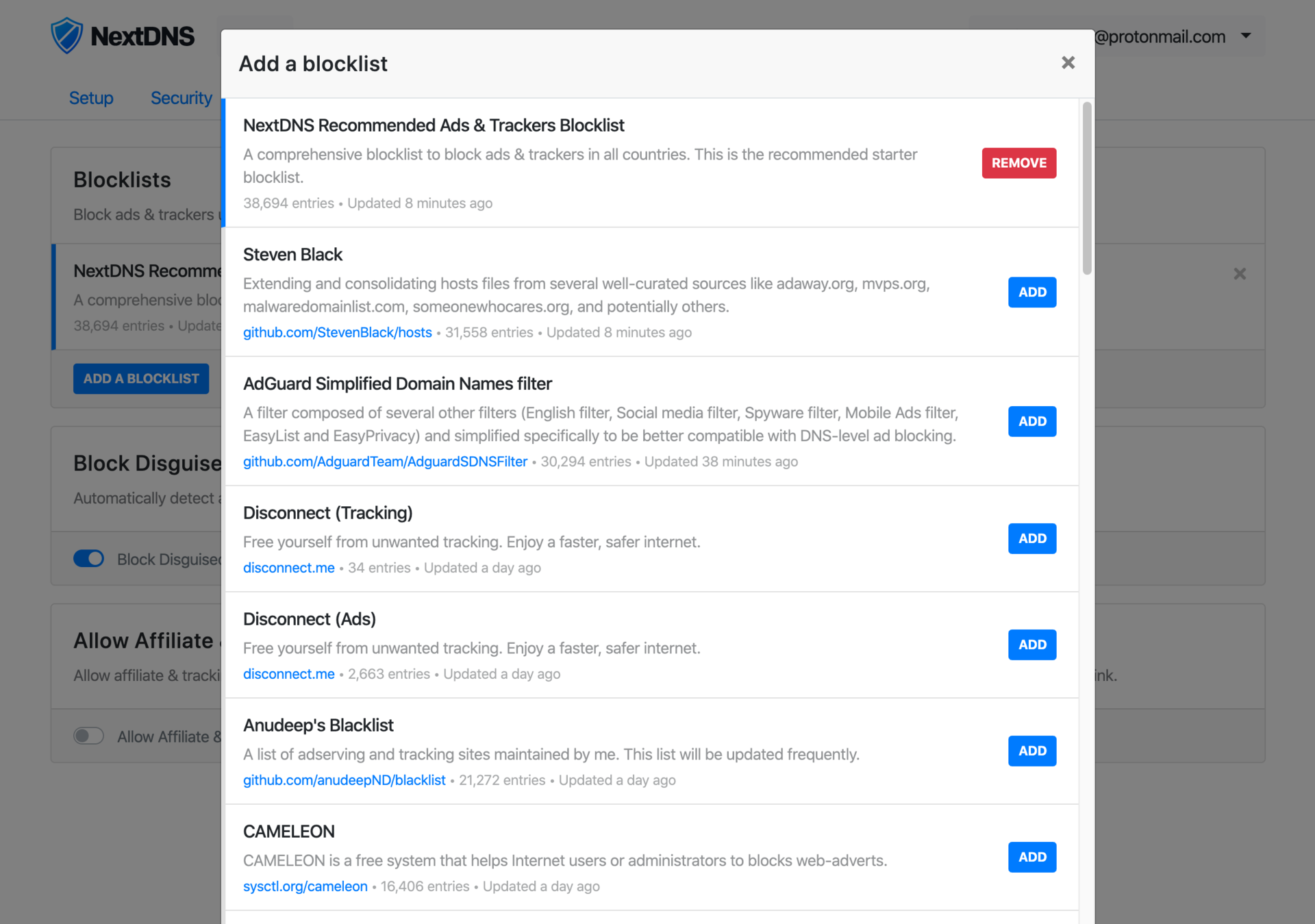
The default list already contains a ton of domains and should be good enough to start. I added a few more that I already knew, like AdAway and AdGuard 🤓.
Here is the repartition of my blocked queries over the last 30 days:
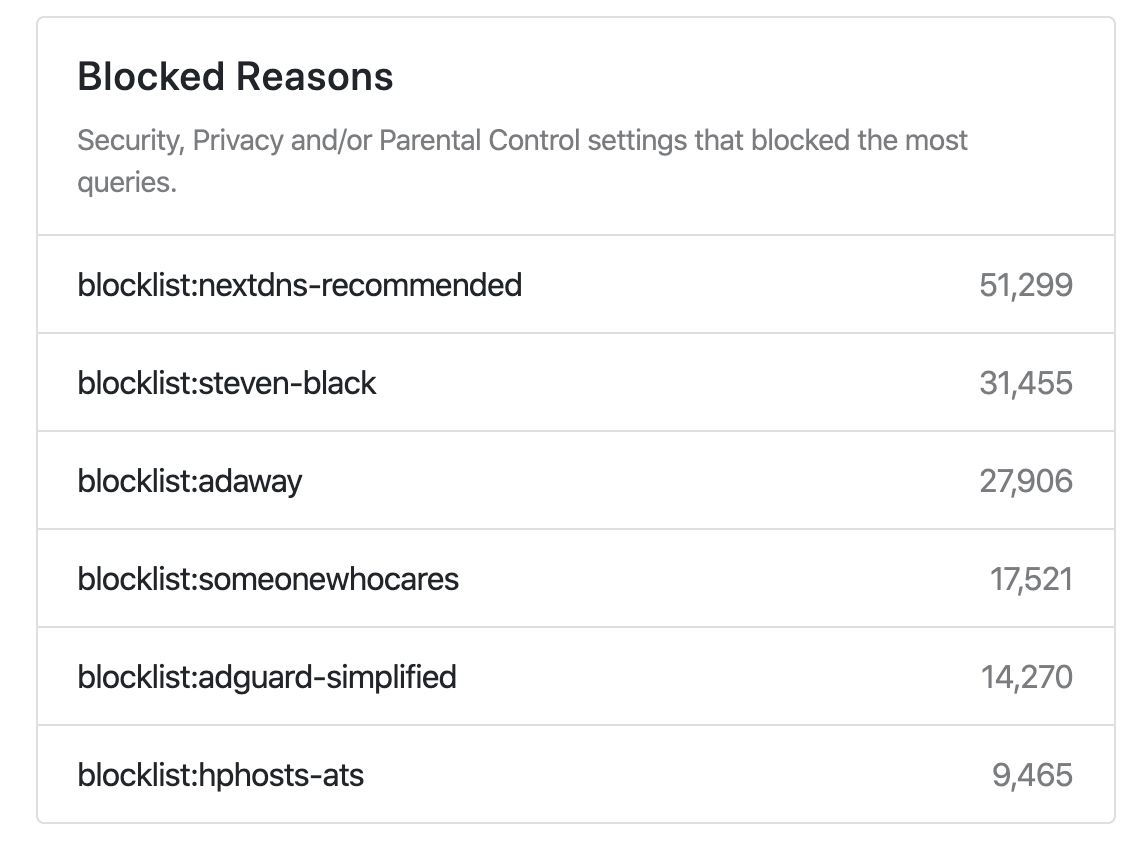
That doesn't tell much, though, because we don't know how these stats are computed. Is there a precedence level? Or is a domain matching multiple lists accounting for each one's blocked count? 🤷♂️
Statistics and logging#
One of the main selling points of NextDNS is that you can optionally log queries and extract statistics out of them.
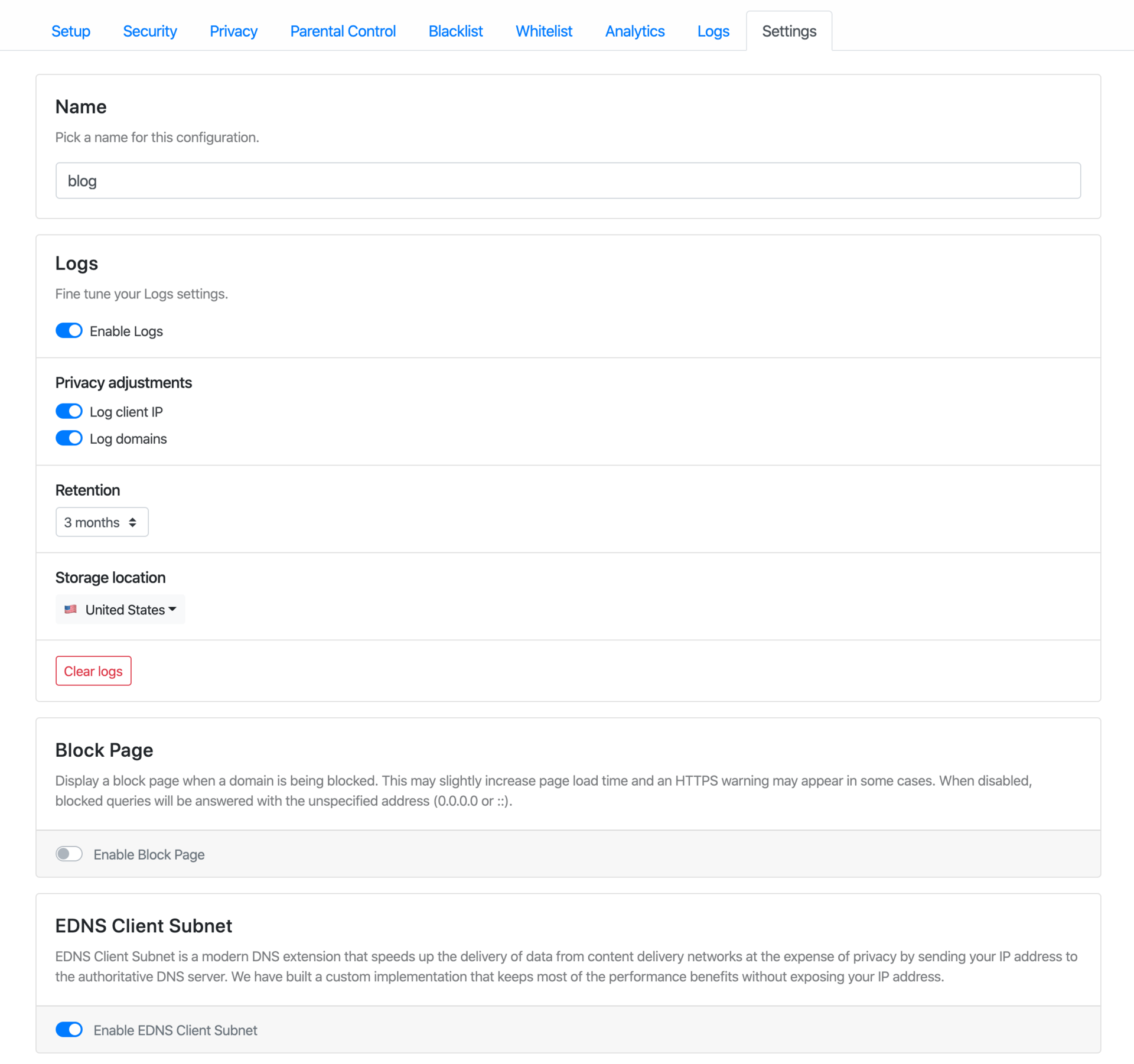
If they are enabled, logs can be stored in the US, Europe, or Switzerland, with a retention period spanning from 1 hour to 2 years.
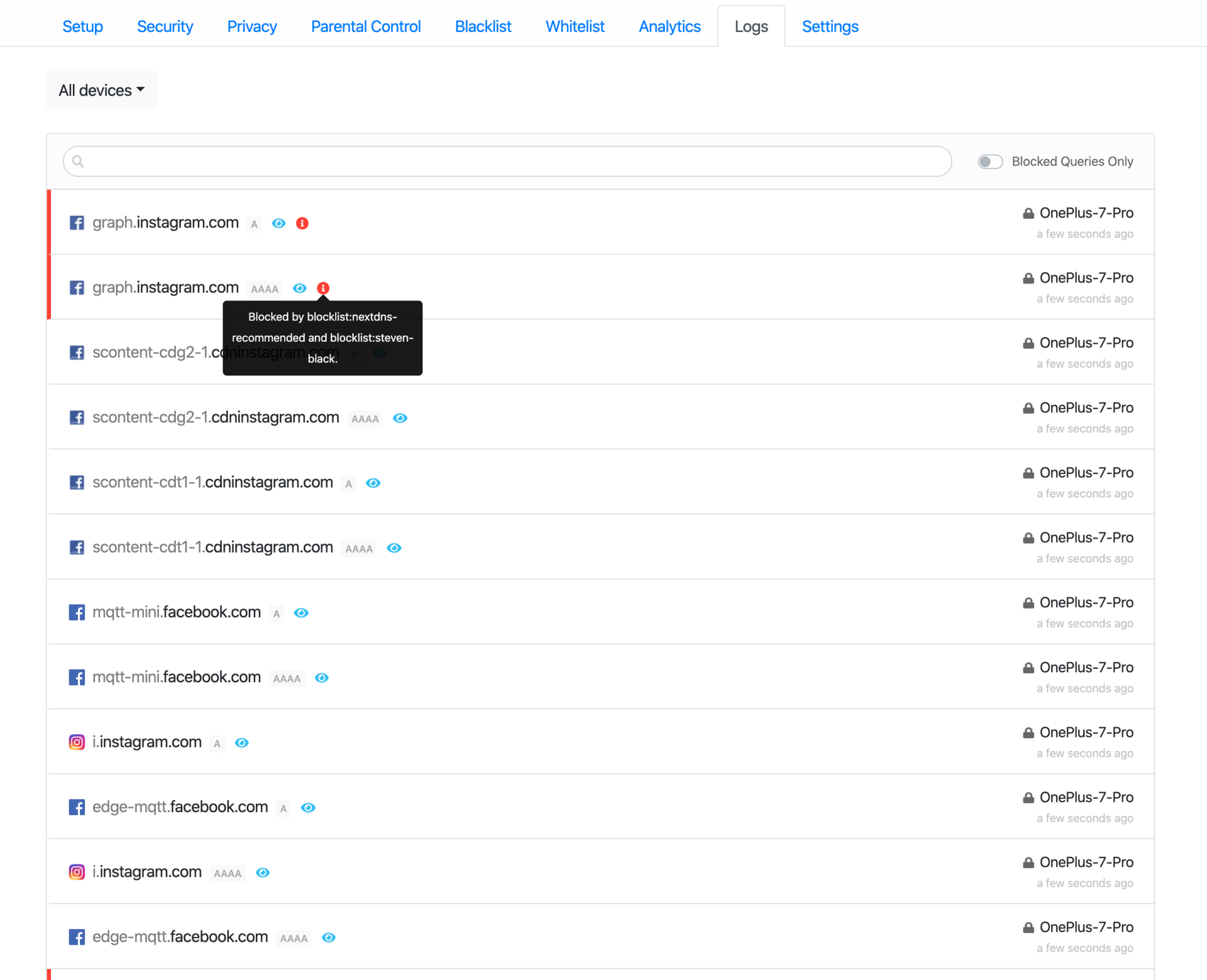
Here are some screenshots of the logs tab:
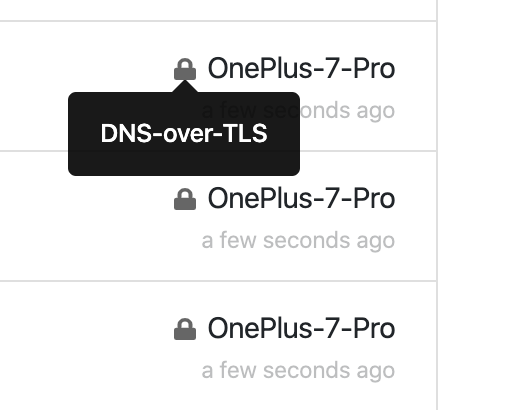
I can also make sure my device is sending requests using a secure protocol:
It's very neat to be able to view and filter all these logs. But what's even better is the Analytics tab!
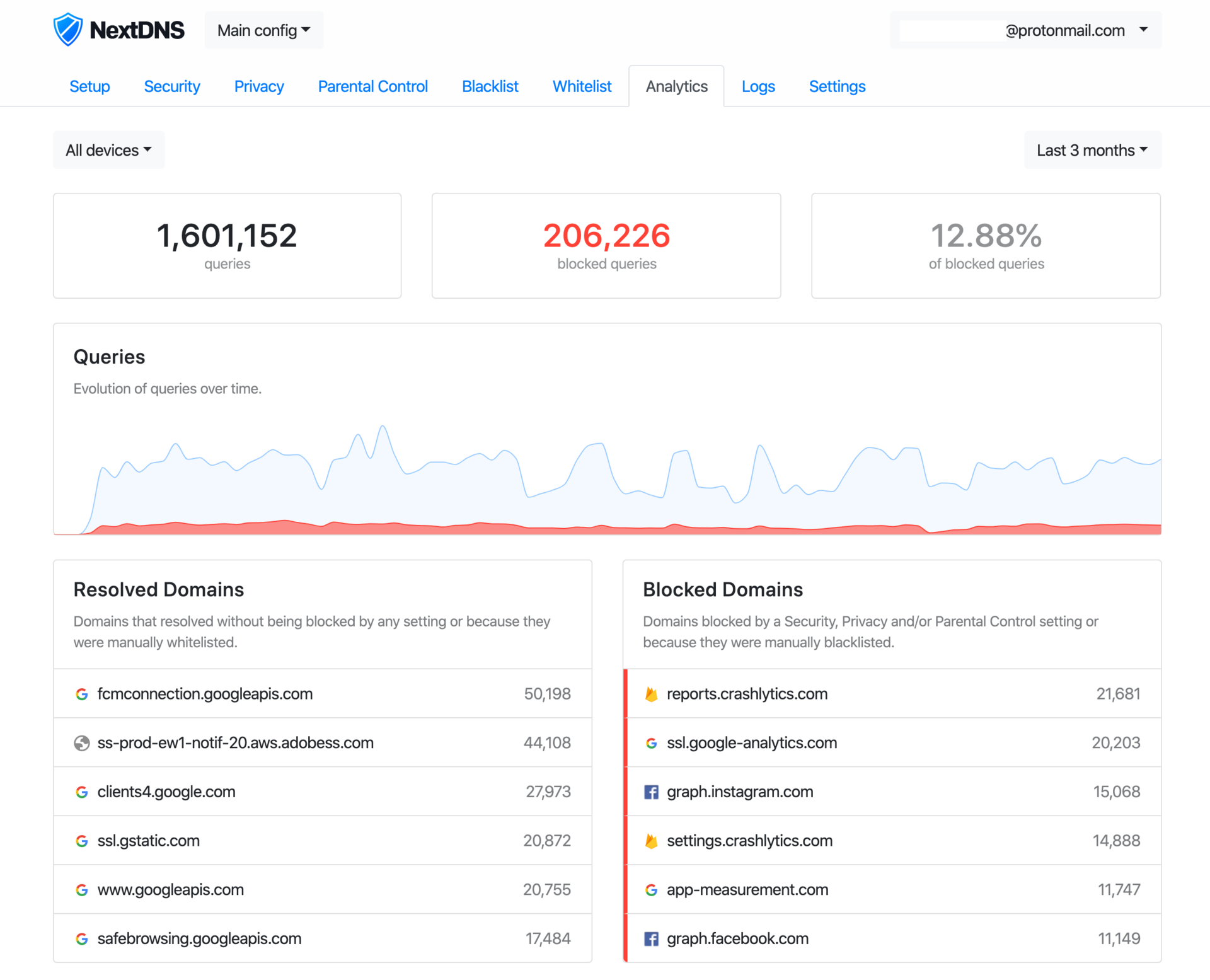
On average, it seems I send a bit more than 500k DNS queries a month. Impressive!
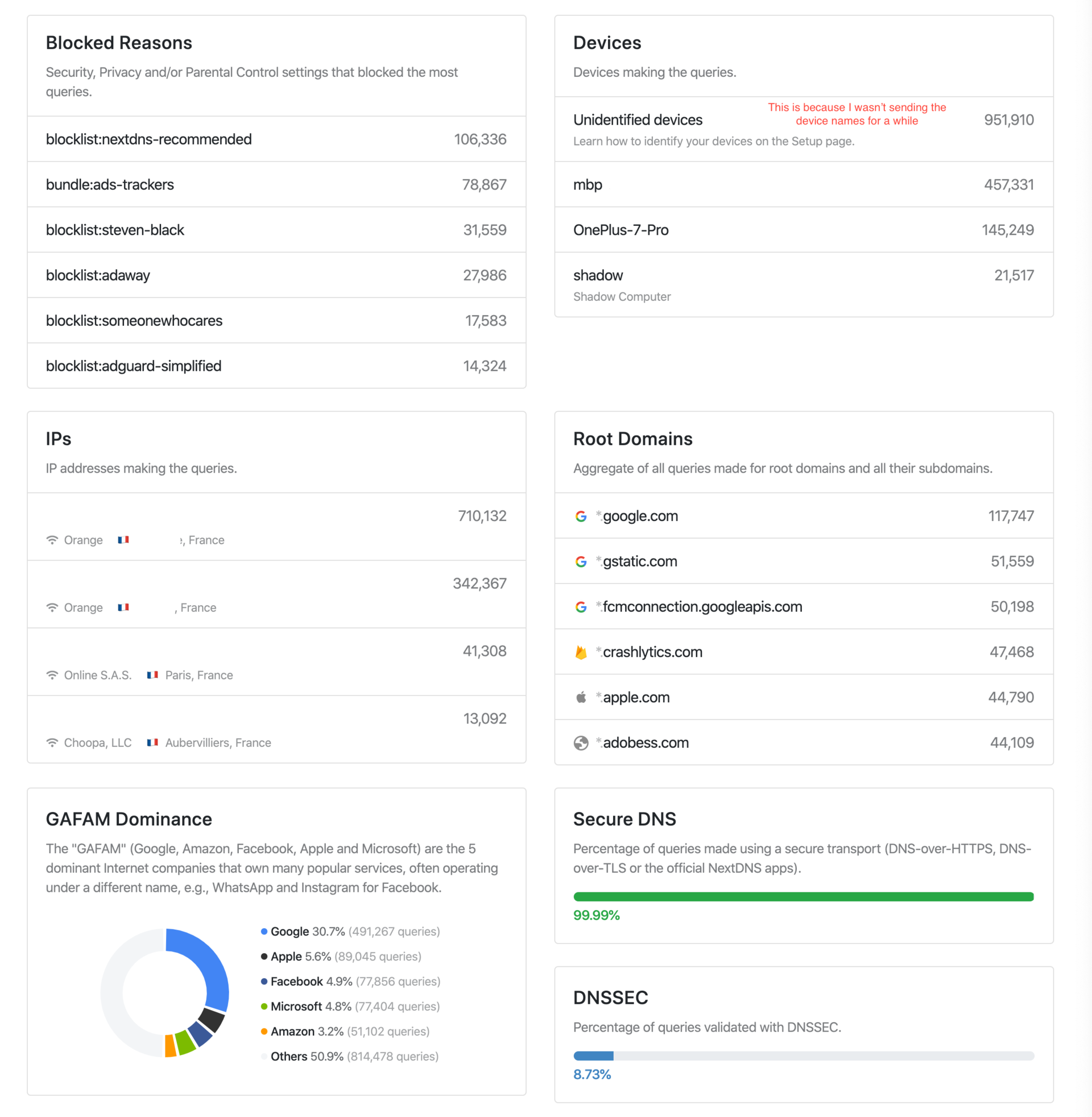
I'm the kind of person who loves having stats about everything, so this soothes my heart. This is the feature that I liked about Pi-hole, and I can finally use it, everywhere!
Privacy#
I invite you to read the concise privacy policy which basically states they won't sell your data and won't log anything unless you want them to.
For what it's worth, a few months ago NextDNS joined Firefox’s trusted recursive resolver program, "committing to data retention and transparency requirements that respect user privacy".
Pricing#
NextDNS is a service that can't make money unless we give them some. Their pricing policy is extremely simple:
- Completely free during the beta...
- then it's free up until about 300,000 DNS queries/month — $1.99/month for unlimited queries.
- If you decide to stay on the free plan, NextDNS will simply behave like a classic public resolver after reaching the 300,000 queries limit.
Kudos to them for that last point: they don't cut you out if you go over the quota, but simply stop filtering queries.
The threshold of 300k queries is cleverly placed. 300k is a lot, but it's just low enough that most user will need to pay if they want to keep ads way at the end of the month. That being said, $2/month is a very fair price and I will gladly subscribe once NextDNS goes out of beta!
NextDNS is my new favourite DNS service. 👏